Deleting a Case Project |


|
Deleting a Case Project |
|
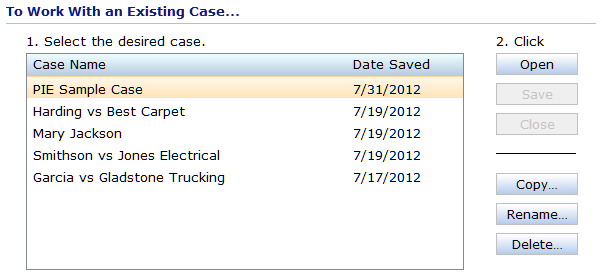
You delete a case project from the Home Screen, using the section labeled "To Work With an Existing Case".
| 1. | If a case is currently open, start by closing the active case. |
| 2. | Click on the name of the case that you want to rename. |
| 3. | Click on the Delete button to the right of the list. The application will prompt you to confirm your decision |
| 4. | Click on the Delete button at the bottom of the prompt. The application will close the prompt, return to the Home Screen, and update the case list. |
Existing Cases Section of the Home Screen