You can set the dependent's expected age at death using his life expectancy, or you can enter the age yourself.
You use the , which appears at the top of the Expected Life Span controls, to select whether the dependent's age at death is:
| • | Calculated using the dependent's life expectancy. |
The checkbox also determines which section of the Expected Life Span controls is enabled and which section is disabled.
|
When the is filled, the application:
| • | Enables the Life Expectancy Inputs section of the Expected Life Span controls. |
| • | Applies the dependent's life expectancy to the damages calculations. |
Life Expectancy Inputs
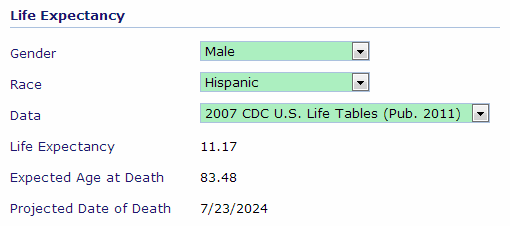
Data
The Data option determines which data set is used to calculate the life expectancy. For the data citations, see Life Expectancy Data.
|
When the is empty, the application:
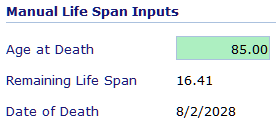
| • | Enables the Manual Life Span Inputs section of the Expected Life Span controls. |
| • | Applies the Age at Death input to the damages calculations. |
Manual Life Span Inputs
|


